Marketing Tech / SaaS Application

Eyeview VideoIQ:Designing an Audience Management Tool That Saved 40% of Operations Time

Oak Theory designed the Audience Management Tool for Eyeview's VideoIQ platform — cutting campaign setup time in half and freeing the operations team to focus on optimization instead of busywork.

Next case studySee more work
Client
Eyeview (acquired by Aki Technologies, 2019)
Industry
Video advertising technology
Year
2018
Services
Product Strategy, UX/UI Design, User Research, Technical Planning
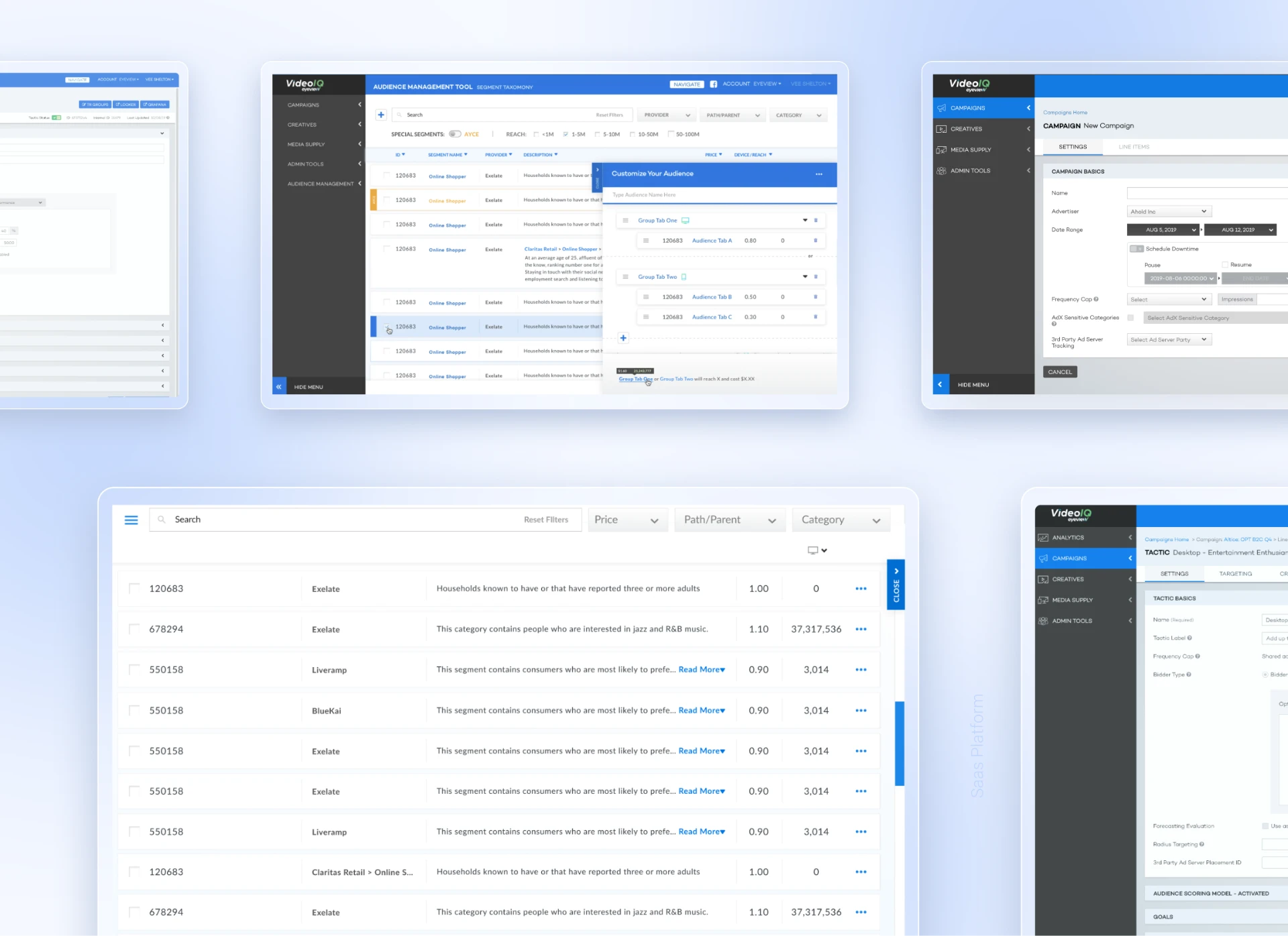
Collage of Eyeview VideoIQ Audience Management Tool screens shown across desktop views.

Quick answer

Eyeview was a video advertising company where personalized ads ran through their platform, VideoIQ. But setting up each campaign was a nightmare — operations teams had to manually hunt through data systems, build audience groups by hand, and repeat the process for every client. Oak Theory designed a new feature called the Audience Management Tool to automate that workflow. Eyeview's team saved 40% of operations time immediately after launch.

+0.00%

Reduction in operations time

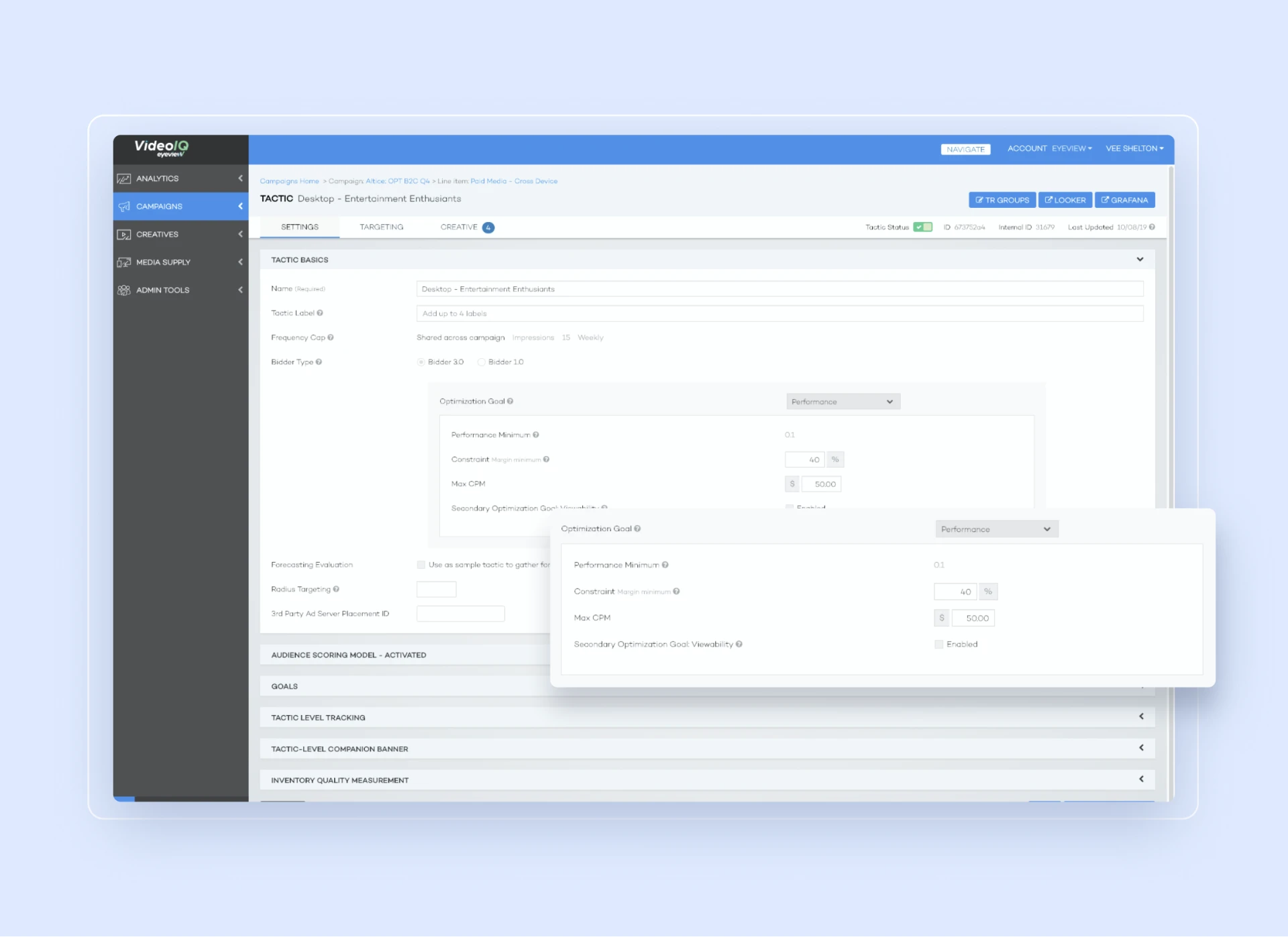
Eyeview VideoIQ tactic settings screen with the optimization goal panel highlighted.

About

Two to four hours of data entry, every campaign.

Picture an operations team spending two to four hours per campaign manually searching databases, clicking through forms, and building audience segments that should have taken minutes. That was Eyeview's reality every single day. It wasn't just inefficient — it meant less time for actual strategy and optimization, and a team burned out from repetitive work.

Oak Theory partnered with Eyeview to build the Audience Management Tool: a feature that automated audience creation and made campaign setup feel less like data entry and more like strategy work.

The challenge

Repetitive work. Too many stakeholders. Hidden complexity.

Every campaign required the same manual process: find an audience in a data management platform, identify matching segments, build those segments into a usable group, then set it all up in VideoIQ. Four different operations departments each had slightly different needs, but all were doing versions of the same tedious work.

  • 2–4 hours per campaign spent on manual audience building.
  • Competing priorities. Different departments wanted different features, making it hard to prioritize.
  • Database-shaped UI. The interface matched the database structure, not how people set up campaigns.
  • No reuse. No easy way to template audience segments across campaigns.

What we did

Scope of engagement

Discovery and user research across four operations teamsUX / UI AuditUX / UI Audit
Product strategy and feature prioritizationConsultingConsulting
Solution architecture and UX/UI designSaaS ApplicationsSaaS Applications
User testing and technical planning with engineeringWeb DevelopmentWeb Development

Our Approach

01

Map the actual workflow, not the org chart.

We spent time with teams across Eyeview — product, operations, campaign managers — and watched them set up a real campaign start to finish. The existing platform matched the database structure instead of how people actually think.

We documented the real workflow: find audience, identify segments, build group, test, launch. Then we designed around that sequence instead of the backend.
02

Prioritize ruthlessly across competing stakeholders.

Four teams wanted four different features — bulk operations, detailed segment controls, more automation. Building everything would have collapsed the interface under its own weight.

We audited actual campaign data — what teams used, how often, and which features saved real time — then ranked by impact. That meant saying no to requests that sounded good in theory.

03

Make complex logic feel simple.

Audience building runs on Boolean logic — AND, OR, NOT across multiple segments. We audited dozens of real campaigns across industries and found most setups used the same five to seven logical patterns, even though they looked different on the surface.

We designed a progressive interface matched to those patterns instead of making people write out logic manually.

04

Test as you build, not after.

Instead of designing everything upfront and handing it to engineering, we built in phases and tested with Eyeview's team at every step. When they first saw the audience builder, we caught that certain fields were confusing — not badly labeled, just ordered in a way that didn't match how people thought.

We moved things around before engineering had to rebuild anything. That happened three or four times through the project.

Selected work

Design details

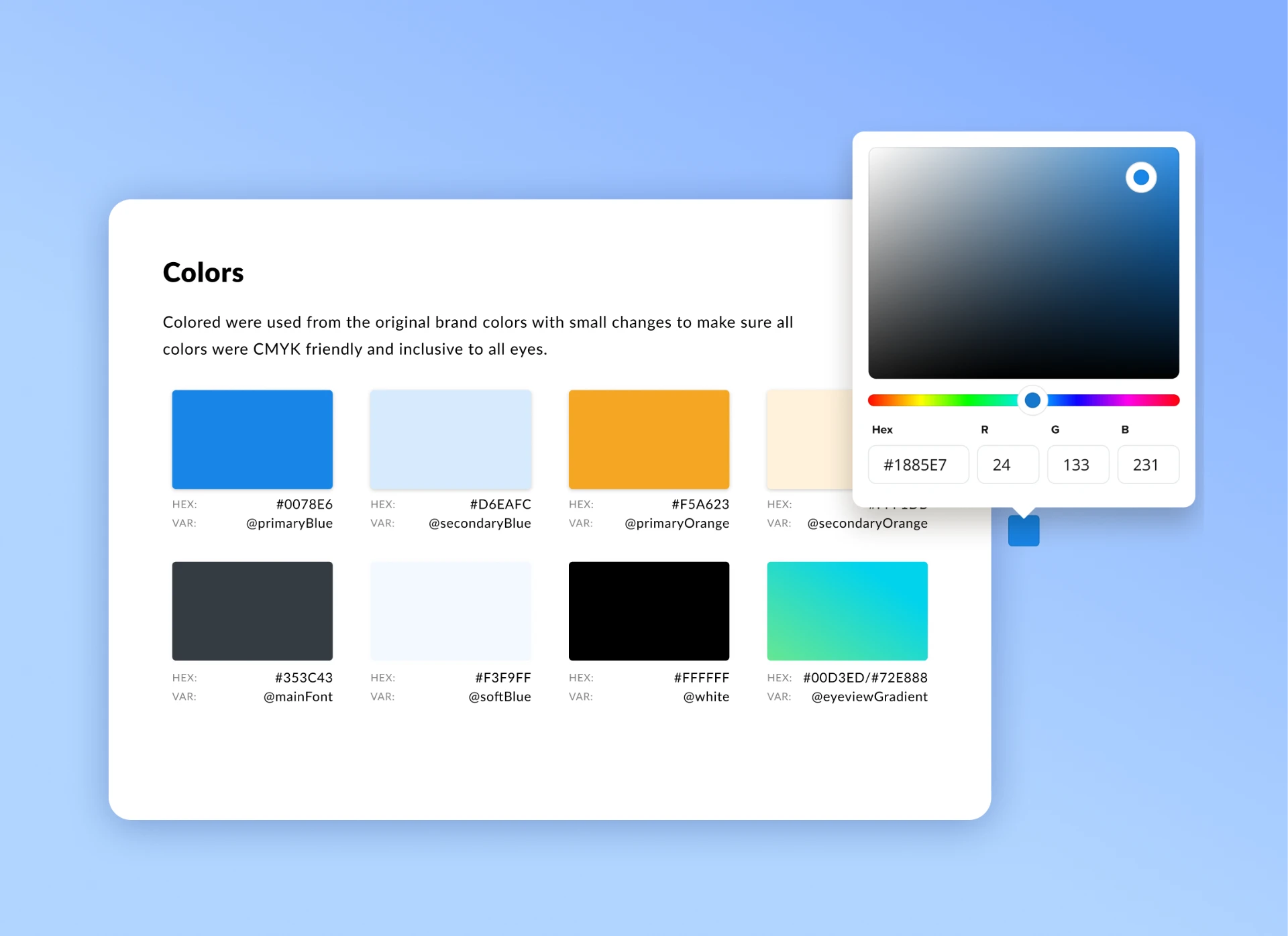
Eyeview VideoIQ color palette documentation with hex values and variable names.
Oak Theory didn't just hand us designs and disappear. They were embedded in our process. When our engineering team said 'this won't work technically,' they found solutions instead of re-explaining the design. That's rare.
Director of Operations, Eyeview

The Results

Measurable gains after launch.

Eyeview internal reporting, 6 months post-launch

+0.00%

Less operations time per campaign (%)

+0.00%

More campaigns processed per month (%)

MetricBeforeAfterChange
Operations time per campaign2–4 hours~1.2 hours40% reduction
Time to train new team members3–4 weeks~1 week~75% faster
Campaigns processed per month4568+51% volume
Source: Eyeview internal reporting, 6 months post-launch. The 40% reduction is from the client's own statement; time-to-train and volume metrics were tracked by their operations leadership.6 months post-launch

FAQ

Frequently asked questions

Building an internal tool or SaaS feature
that actually works for the people using it?

Oak Theory designs product experiences around real workflows — researched, tested, and built alongside your engineering team.

Start a project